
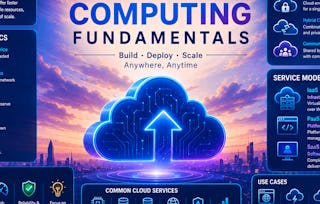
This comprehensive course provides a structured and practice-oriented introduction to cloud computing fundamentals, guiding learners from core theoretical concepts to real-world cloud system implementation. Beginning with distributed computing principles, virtualisation, and containerisation, the course establishes the technological foundations that enable modern cloud infrastructures. Learners gain clarity on cloud characteristics, deployment models, and service models (IaaS, PaaS, SaaS), supported by the 3-4-5 rule for conceptual coherence.

Cloud Computing Fundamentals
Gain insight into a topic and learn the fundamentals.
Intermediate level
Recommended experience
3.5 months to complete
at 10 hours a week
Flexible schedule
Learn at your own pace
Gain insight into a topic and learn the fundamentals.
Intermediate level
Recommended experience
3.5 months to complete
at 10 hours a week
Flexible schedule
Learn at your own pace
What you'll learn
Explain cloud computing fundamentals, including service models, deployment models, and key characteristics of the cloud.
Apply virtualization and containerization concepts to build scalable, portable, and efficient cloud environments.
Use AWS services (EC2, S3, IAM, CloudWatch) to deploy, manage, monitor, and secure cloud-based applications.
Evaluate scalability, scheduling, reliability, and fault tolerance challenges in cloud systems using real-world scenarios.
Skills you'll gain
Details to know

Shareable certificate
Add to your LinkedIn profile
Recently updated!
March 2026
Assessments
95 assignments
Taught in English
See how employees at top companies are mastering in-demand skills

There are 12 modules in this course
This module introduces you to the course and its syllabus. The course introductory video orients you to the skills and knowledge you will acquire through this course. The syllabus reading highlights the course values, assessments, grading scheme, schedule and details of live sessions, and readings list that you must procure to acquire the concepts better. You will also meet and greet your peers around the globe through a discussion prompt.
What's included
3 videos1 reading1 discussion prompt
3 videos•Total 11 minutes
- Course Introduction•8 minutes
- Meet Your Instructor: Prof. R. K. Chandrasekar•2 minutes
- Meet Your Instructor: Prof. Sai Kishor Jangiti•2 minutes
1 reading•Total 10 minutes
- Course Overview•10 minutes
1 discussion prompt•Total 10 minutes
- Meet Your Peers•10 minutes
This module provides a foundational understanding of cloud computing, starting with the core principles of distributed computing and progressing toward the essential characteristics, deployment models, and service models that define the cloud. Learners will explore the evolution of computing technologies that paved the way for the cloud and gain clarity on how modern infrastructure leverages distributed resources to deliver scalable and reliable computing services. The module introduces the 3-4-5 Rule of Cloud Computing, a simplified framework to grasp the three service models, four deployment models, and five key characteristics of cloud computing.
What's included
9 videos2 readings8 assignments1 discussion prompt
9 videos•Total 92 minutes
- Distributed Computing and Models•5 minutes
- Distributed Computing Models•6 minutes
- Cloud Computing•6 minutes
- Evolution of Computing•8 minutes
- 5 – Characteristics of Cloud•4 minutes
- Deployment Models•9 minutes
- Service Models•5 minutes
- Cloud Infrastructure•6 minutes
- Recording of Cloud Computing Fundamentals: Week 1 - Live Session on 26-03-22•42 minutes
2 readings•Total 40 minutes
- Recommended Reading: Introduction to Cloud Concepts•20 minutes
- Recommended Reading: 3-4-5 Rule of Cloud Concepts•20 minutes
8 assignments•Total 48 minutes
- Distributed Computing and Models•6 minutes
- Distributed computing models•6 minutes
- Cloud Computing•6 minutes
- Evolution of Computing•6 minutes
- 5 – Characteristics of Cloud•6 minutes
- Deployment Models•6 minutes
- Service Models•6 minutes
- Cloud Infrastructure•6 minutes
1 discussion prompt•Total 30 minutes
- Cloud Computing: Evolution, Models, and Impact on IT Infrastructure•30 minutes
This module introduces the concept of virtualisation—one of the foundational technologies behind cloud computing. Learners will explore how virtualisation abstracts physical resources to create scalable and efficient computing environments. The module covers the basics of virtualisation, the purpose and function of hypervisors, and dives deeper into the virtualisation of key system components such as CPU, memory, and I/O. It also explains the different approaches to CPU virtualisation and categorises hypervisor types based on architecture and use case. Through interactive videos, quizzes, and readings, students will build a solid foundation in virtualisation technologies.
What's included
7 videos2 readings7 assignments1 discussion prompt
7 videos•Total 91 minutes
- Basics of Virtualisation•6 minutes
- Hypervisor•7 minutes
- Virtualisation - CPU•6 minutes
- Approaches to CPU Virtualisation•5 minutes
- Virtualisation – Memory and I/O•7 minutes
- Hypervisor Types •5 minutes
- Recording of Cloud Computing Fundamentals: Week 2 - Live Session on 26-03-27•56 minutes
2 readings•Total 35 minutes
- Recommended Reading: Virtualisation•15 minutes
- Recommended Reading: Virtualisation of Components•20 minutes
7 assignments•Total 96 minutes
- Graded Quiz for Week 1 and 2•60 minutes
- Basics of Virtualisation•6 minutes
- Hypervisor•6 minutes
- Virtualisation - CPU•6 minutes
- Approaches to CPU Virtualisation•6 minutes
- Virtualisation – Memory and I/O•6 minutes
- Hypervisor Types •6 minutes
1 discussion prompt•Total 30 minutes
- Virtualisation: The Enabling Technology of Cloud Computing•30 minutes
This module introduces the core concepts of containerisation and its critical role in modern software development and deployment. It begins by explaining what containers are, their evolution, and the different types used in the industry today. The module then explores Docker, a popular containerisation platform, including how to install, run, and manage containers using essential Docker commands. Finally, learners will gain hands-on insights into container networking (bridge, host, and overlay modes) and persistent storage techniques. Through structured video lessons, practice quizzes, and readings, learners will build the foundational skills needed to work with containerised applications.
What's included
11 videos3 readings10 assignments1 discussion prompt
11 videos•Total 96 minutes
- What are Containers?•5 minutes
- Containers - History•6 minutes
- Types of Containers•6 minutes
- Docker•8 minutes
- Running a Docker Container•4 minutes
- Docker Commands•8 minutes
- Networking in Containers – Bridge Type•8 minutes
- Network Drivers – Host Type•5 minutes
- Network Drivers – Overlay Type•2 minutes
- Container Storage•5 minutes
- Recording of Cloud Computing Fundamentals: Week 3 - Live Session on 26-04-03•40 minutes
3 readings•Total 55 minutes
- Recommended Reading: Containers•15 minutes
- Recommended Reading: The Docker Platform•20 minutes
- Recommended Reading: Container Networking•20 minutes
10 assignments•Total 72 minutes
- What are Containers?•6 minutes
- Containers - History•6 minutes
- Types of Containers•9 minutes
- Docker•6 minutes
- Running a Docker Container•6 minutes
- Docker Commands•6 minutes
- Networking in Containers – Bridge Type•6 minutes
- Network Drivers – Host Type•9 minutes
- Network Drivers – Overlay Type•9 minutes
- Container Storage•9 minutes
1 discussion prompt•Total 30 minutes
- The Container Revolution: Docker and Container Orchestration•30 minutes
This module introduces Infrastructure as a Service (IaaS), one of the core service models in cloud computing. Learners begin by exploring the foundational concepts of IaaS and its role in modern IT environments. The focus then shifts to Amazon Web Services (AWS), the leading IaaS provider, where learners will understand key services such as compute, networking, identity, and access management. Practical insights into launching and managing EC2 instances, AWS's shared responsibility model, IAM roles and policies, and compute pricing models will prepare learners for hands-on work with cloud infrastructure.
What's included
14 videos4 readings14 assignments1 discussion prompt
14 videos•Total 128 minutes
- Infrastructure as Software•5 minutes
- Key Concepts of IaaS•5 minutes
- What is a Web Service?•6 minutes
- AWS Global Infrastructure•5 minutes
- AWS Global Infrastructure•10 minutes
- AWS Shared Responsibility Model•6 minutes
- IAM•6 minutes
- IAM: Policies and Roles•6 minutes
- Choosing the Optimal Compute Service: EC2•4 minutes
- Launching an EC2 Instance: Part 1•6 minutes
- Launching an EC2 Instance: Part 2•4 minutes
- Amazon EC2 Instance Lifecycle•5 minutes
- Amazon EC2 Pricing Models•5 minutes
- Recording of Cloud Computing Fundamentals: Week 4 - Live Session on 26-04-10•57 minutes
4 readings•Total 70 minutes
- Recommended Reading: Infrastructure As A Service – A Beginning •20 minutes
- Recommended Reading: AWS Web Services•20 minutes
- Recommended Reading: AWS – Identity and Access Management•15 minutes
- Recommended Reading: AWS Compute Service•15 minutes
14 assignments•Total 144 minutes
- Graded Quiz for Week 3 and 4•60 minutes
- Infrastructure as Software•6 minutes
- Key Concepts of IaaS•6 minutes
- What is a Web Service?•6 minutes
- AWS Global Infrastructure•6 minutes
- AWS Global Infrastructure•12 minutes
- Model AWS Shared Responsibility•6 minutes
- IAM (Identity and Access Management)•6 minutes
- IAM: Policies and Roles•6 minutes
- Choosing the Optimal Compute Service: EC2•6 minutes
- Launching an EC2 Instance: Part 1•6 minutes
- Launching an EC2 Instance: Part 2•6 minutes
- Amazon EC2 Instance Lifecycle•6 minutes
- Amazon EC2 Pricing Models•6 minutes
1 discussion prompt•Total 30 minutes
- Infrastructure as Software: Transforming IT through Cloud-Based IaaS•30 minutes
This module focuses on the storage and database services offered by AWS, along with an introduction to the Platform as a Service (PaaS) and Software as a Service (SaaS) models. Learners will explore various AWS storage options, including Amazon EBS, S3, and EFS, and understand when and how to use each. The module also covers AWS's managed database services such as Amazon RDS, DynamoDB, Aurora, and Redshift. In addition, learners will examine the principles of PaaS and SaaS, their architectures, business models, and user benefits, highlighting their applicability across different cloud solutions.
What's included
13 videos4 readings13 assignments1 discussion prompt
13 videos•Total 115 minutes
- Storage Types in AWS•4 minutes
- Amazon EBS – Elastic Block Storage•6 minutes
- Amazon S3 – Simple Storage Service•5 minutes
- Amazon EFS – Elastic File System•3 minutes
- Amazon RDS – Relational Database Service•5 minutes
- Amazon RDS – DB Instance•4 minutes
- When to Use Amazon RDS?•4 minutes
- Amazon Dynamo DB•4 minutes
- Amazon Redshift•4 minutes
- Amazon Aurora•5 minutes
- Introduction to PaaS•4 minutes
- How does PaaS Work?•4 minutes
- Recording of Cloud Computing Fundamentals: Week 5 - Live Session on 26-04-17•62 minutes
4 readings•Total 55 minutes
- Recommended Reading: AWS Storage•10 minutes
- Recommended Reading: Amazon Databases•20 minutes
- Recommended Reading: PaaS – Platform As A Service•15 minutes
- Live Session•10 minutes
13 assignments•Total 4,392 minutes
- SGA-1: Build and Deploy a Scalable Secure Web App on AWS•4,320 minutes
- Storage Types in AWS•6 minutes
- Amazon EBS – Elastic Block Storage•6 minutes
- Amazon S3 – Simple Storage Service•6 minutes
- Amazon EFS – Elastic File System•6 minutes
- Amazon RDS – Relational Database Service•6 minutes
- Amazon RDS – DB Instance•6 minutes
- When to Use Amazon RDS?•6 minutes
- Amazon Dynamo DB•6 minutes
- Amazon Redshift•6 minutes
- Amazon Aurora•6 minutes
- Introduction to PaaS•6 minutes
- How does PaaS Work?•6 minutes
1 discussion prompt•Total 30 minutes
- AWS Storage Services and Cloud Platform Models•30 minutes
This module introduces learners to the foundational cloud service models—Infrastructure as a Service (IaaS), Platform as a Service (PaaS), and Software as a Service (SaaS)—with a focus on SaaS. It explores how SaaS applications are architected, delivered, and consumed over the internet without requiring users to manage infrastructure. Through real-world examples like Google Docs, Netflix, and Lideo, learners will understand the benefits of SaaS, including scalability, accessibility, and cost-efficiency. The module also demystifies multi-tenancy, a core concept in SaaS, using visual aids and hands-on deployment of a Java-based LMS on AWS EC2. By the end, learners will be able to explain SaaS architecture and deploy a basic SaaS application.
What's included
11 videos4 readings11 assignments1 discussion prompt
11 videos•Total 160 minutes
- Software as a Service•18 minutes
- SaaS, PaaS & IaaS•15 minutes
- Deep Dive into SaaS Architecture•11 minutes
- Industry Use Cases•10 minutes
- How laaS Provides Compute and Storage •7 minutes
- PaaS as Middleware for API-Driven Services •7 minutes
- Virtualisation and Containerisation Enabling Scalability•12 minutes
- How Lideo Uses SaaS Frameworks •12 minutes
- Evaluate the Pros and Cons of Cloud-Based LMS •12 minutes
- SaaS App Deployment in AWS•12 minutes
- Recording of Cloud Computing Fundamentals: Week 6 - Live Session on 26-04-24•46 minutes
4 readings•Total 125 minutes
- Recommended Reading: Introduction to SaaS Fundamentals•40 minutes
- Recommended Reading: SaaS Models in Cloud Computing – How Lideo Leverages IaaS & PaaS•50 minutes
- Recommended Reading: Deploying LMS as a SaaS Application•20 minutes
- Instructional Document: Staff-Graded Assignment-2•15 minutes
11 assignments•Total 147 minutes
- Graded Quiz for Week 5 and 6•60 minutes
- Software as a Service•9 minutes
- SaaS, PaaS & IaaS•9 minutes
- Deep Dive into SaaS Architecture•9 minutes
- Industry Use Cases•9 minutes
- How laaS Provides Compute and Storage •9 minutes
- PaaS as Middleware for API-Driven Services •9 minutes
- Virtualisation and Containerisation Enabling Scalability•9 minutes
- How Lideo Uses SaaS Frameworks •9 minutes
- Evaluate the Pros and Cons of Cloud-Based LMS •9 minutes
- SaaS App Deployment in AWS•6 minutes
1 discussion prompt•Total 30 minutes
- Analysing Cloud Service Models through Real-World SaaS Applications•30 minutes
This module focuses on cloud storage types—object, block, and file—and how they are used in SaaS applications. Learners will explore AWS S3 storage classes such as Standard, Intelligent-Tiering, and Glacier, and understand how lifecycle policies help optimize storage costs. Using LMS content as a case study, the module demonstrates how different types of data map to different storage tiers. Learners will configure S3 buckets, set lifecycle rules, and estimate monthly costs using the AWS Pricing Calculator.
What's included
6 videos3 readings6 assignments1 discussion prompt
6 videos•Total 35 minutes
- Storage Models•12 minutes
- Lifecycle and Tiering•6 minutes
- Cost Estimation•5 minutes
- Data Access Patterns•4 minutes
- LMS Storage Integration •4 minutes
- Storage Monitoring and Security •4 minutes
3 readings•Total 110 minutes
- Recommended Reading: Storage Models and Tiering•25 minutes
- Recommended Reading: Cost and Access Optimisation•60 minutes
- Recommended Reading: LMS Integration and Security•25 minutes
6 assignments•Total 54 minutes
- Storage Models•9 minutes
- Lifecycle and Tiering•9 minutes
- Cost Estimation•9 minutes
- Data Access Patterns•9 minutes
- LMS Storage Integration •9 minutes
- Storage Monitoring and Security•9 minutes
1 discussion prompt•Total 30 minutes
- Cost and Access Optimisation for Cloud Storage•30 minutes
This module explores how cloud platforms manage fluctuating demand through elasticity, scalability, auto-scaling, and load balancing. Learners will understand the principles of capacity planning and how cloud services dynamically allocate resources to maintain performance and cost-efficiency. Using the LMS backend as a case study, learners will create AMIs, configure Auto Scaling Groups, and deploy Load Balancers to handle simulated traffic. CloudWatch metrics will be used to monitor performance and scaling behaviour.
What's included
7 videos3 readings7 assignments1 discussion prompt
7 videos•Total 59 minutes
- Capacity Concepts•4 minutes
- Provisioning Strategies•3 minutes
- Auto Scaling Setup•5 minutes
- Load Balancing•7 minutes
- Traffic Simulation•5 minutes
- Performance Monitoring•4 minutes
- Recording of Cloud Computing Fundamentals: Week 9 - Live Session on 26-05-15 •30 minutes
3 readings•Total 120 minutes
- Recommended Reading: Elasticity and Provisioning•45 minutes
- Recommended Reading: Scaling Infrastructure•30 minutes
- Recommended Reading: Monitoring and Simulation•45 minutes
7 assignments•Total 114 minutes
- Graded Quiz for Week 7 and 8•60 minutes
- Capacity Concepts•9 minutes
- Provisioning Strategies•9 minutes
- Auto Scaling Setup•9 minutes
- Load Balancing•9 minutes
- Traffic Simulation•9 minutes
- Performance Monitoring•9 minutes
1 discussion prompt•Total 30 minutes
- Auto Scaling and Load Balancing in Real-World Deployments•30 minutes
This module introduces scheduling in cloud environments, emphasising its role in optimising resource usage and application performance. Learners will explore static and dynamic scheduling approaches, including Round Robin and priority-based algorithms. The module also covers Kubernetes pod scheduling using Amazon EKS, demonstrating how cloud-native applications manage workloads efficiently. Through a hands-on lab, learners will implement a Java-based scheduler in the LMS backend that adjusts task execution based on system load, using CloudWatch metrics.
What's included
6 videos3 readings7 assignments1 discussion prompt
6 videos•Total 50 minutes
- Scheduling Concepts•9 minutes
- Java Schedulers in Cloud Applications•12 minutes
- CloudWatch Integration•9 minutes
- Logging and Visualisation•6 minutes
- Pod Deployment•8 minutes
- Performance Analysis•7 minutes
3 readings•Total 140 minutes
- Recommended Reading: Scheduling Fundamentals•40 minutes
- Recommended Reading: Implementing Scheduling Logic•60 minutes
- Recommended Reading: Kubernetes Scheduling•40 minutes
7 assignments•Total 654 minutes
- SGA-2: Cloud Deployment, Optimisation, and Monitoring of a Cloud-Based Fitness & Wellness Platform•600 minutes
- Scheduling Concepts•9 minutes
- Java Schedulers in Cloud Applications•9 minutes
- CloudWatch Integration•9 minutes
- Logging and Visualisation•9 minutes
- Pod Deployment•9 minutes
- Performance Analysis•9 minutes
1 discussion prompt•Total 30 minutes
- Cloud Scheduler Design Decisions•30 minutes
This module addresses the critical challenges in cloud computing, including availability, fault tolerance, multi-tenancy risks, security, and compliance. Learners will explore how AWS services like IAM, CloudWatch, and encryption tools help mitigate these risks. The module includes a case study on cloud outages and SLA enforcement, guiding learners through the process of defining and monitoring service-level objectives. In the lab, learners will configure IAM roles, simulate failures, and analyse recovery metrics using CloudWatch.
What's included
10 videos3 readings11 assignments1 discussion prompt
10 videos•Total 87 minutes
- Availability Concepts•10 minutes
- Fault Tolerance Mechanisms•9 minutes
- Outage Analysis•9 minutes
- Multi-Tenancy Risks and Mitigation•9 minutes
- IAM Configuration for EC2 and S3•11 minutes
- Monitoring with CloudWatch•7 minutes
- Log Analysis for Security•7 minutes
- SLA Metrics and Monitoring•8 minutes
- Encryption and Access Control•8 minutes
- Compliance Evaluation •8 minutes
3 readings•Total 165 minutes
- Recommended Reading – Reliability and Fault Tolerance•50 minutes
- Recommended Reading – Security and Monitoring•65 minutes
- Recommended Reading: Compliance and SLA•50 minutes
11 assignments•Total 150 minutes
- Graded Quiz for Week 9 and 10•60 minutes
- Availability Concepts•9 minutes
- Fault Tolerance Mechanisms•9 minutes
- Outage Analysis•9 minutes
- Multi-Tenancy Risks and Mitigation•9 minutes
- IAM Configuration for EC2 and S3•9 minutes
- Monitoring with CloudWatch•9 minutes
- Log Analysis for Security•9 minutes
- SLA Metrics and Monitoring•9 minutes
- Encryption and Access Control•9 minutes
- Compliance Evaluation •9 minutes
1 discussion prompt•Total 30 minutes
- Security in Multi-Tenant Cloud Environments•30 minutes
End-Term Examination
What's included
3 videos1 assignment
3 videos•Total 158 minutes
- Recording of Cloud Computing Fundamentals: Week 10 - Live Session on 26-05-17 18:30:41 [04:28]•64 minutes
- Recording of Cloud Computing Fundamentals: Week 7 - Live Session on 26-05-18 18:35:13 [47:55]•48 minutes
- Recording of Cloud Computing Fundamentals: Week 8 - Live Session on 26-05-19 18:35:49 [45:26]•45 minutes
1 assignment•Total 30 minutes
- End-Term Examination•30 minutes
Instructors


Explore more from Computer Security and Networks
 Status: PreviewPreviewB
Birla Institute of Technology & Science, Pilani
Course
 Status: Free TrialFree TrialU
University of Pittsburgh
Course
 Status: Free TrialFree TrialW
Whizlabs
Course
 Status: Free TrialFree TrialW
Whizlabs
Course
Why people choose Coursera for their career

Felipe M.
Learner since 2018
"To be able to take courses at my own pace and rhythm has been an amazing experience. I can learn whenever it fits my schedule and mood."

Jennifer J.
Learner since 2020
"I directly applied the concepts and skills I learned from my courses to an exciting new project at work."

Larry W.
Learner since 2021
"When I need courses on topics that my university doesn't offer, Coursera is one of the best places to go."

Chaitanya A.
"Learning isn't just about being better at your job: it's so much more than that. Coursera allows me to learn without limits."
Advance your career with an online degree
Earn a degree from world-class universities - 100% online




Frequently asked questions
To access course materials, assignments, and earn a Certificate, you'll need to purchase the Certificate experience when you enroll in a course. Eligible learners may also have the option to start with a Free Trial. Some courses may also offer a Full Course, No Certificate option. This lets you access course materials, submit required assessments, and receive a final grade, but you won't be able to earn or purchase a Certificate.
When you purchase a Certificate you get access to all course materials, including graded assignments. Upon completing the course, your electronic Certificate will be added to your Accomplishments page - from there, you can print your Certificate or add it to your LinkedIn profile.
Yes. In select learning programs, you can apply for financial aid or a scholarship if you can’t afford the enrollment fee. If fin aid or scholarship is available for your learning program selection, you’ll find a link to apply on the description page.
More questions
Financial aid available,